

AI
AI
AI reads CVs and returns a reasoned score and a short summary, drafts and reviews job postings, and answers questions in the panel from your organization's data; it never moves a candidate or changes a record, and your team makes the call.
What does it solve?
AI works in three places in NetKurum: CV review, posting writing and questions in the panel. The same principle applies to all three: the output is support, it never touches scores or records on its own, and an authorized user has the final say.
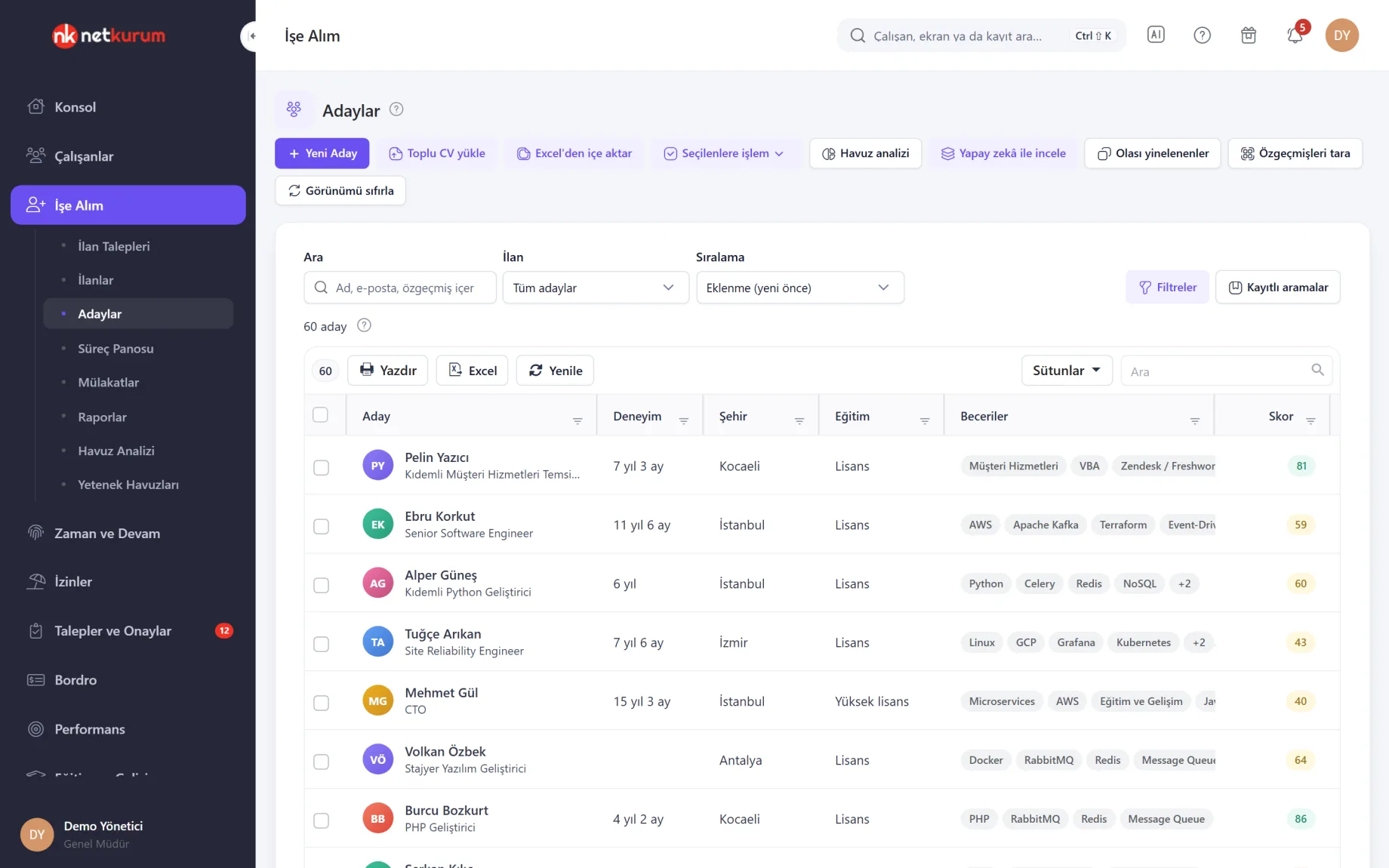
- First pass through a pile of CVs Each CV is reviewed once; a 0-100 score with reasoning, a short summary, strengths and points to watch appear on the candidate profile and in the list.
- Opening every application in the pool The AI summary on the posting detail gathers the score distribution, standout candidates and common risks in one section.
- Writing a posting from a blank page A draft of the posting text, application questions and requirements comes from the position and your notes; the posting review catches discriminatory wording and missing details before you save.
- Clicking through screens for a quick answer Ask the assistant in the top bar "Who is on leave today?"; the answer comes from organization data within your permissions.
- Personal data reaching the model Name, contact details, ID numbers, address and date of birth are masked in the CV text sent for review; assistant tools never return ID numbers, phone numbers or pay.
AI, screen by screen
These images are real screens from the NetKurum demo organization; names of people and companies are fictitious.
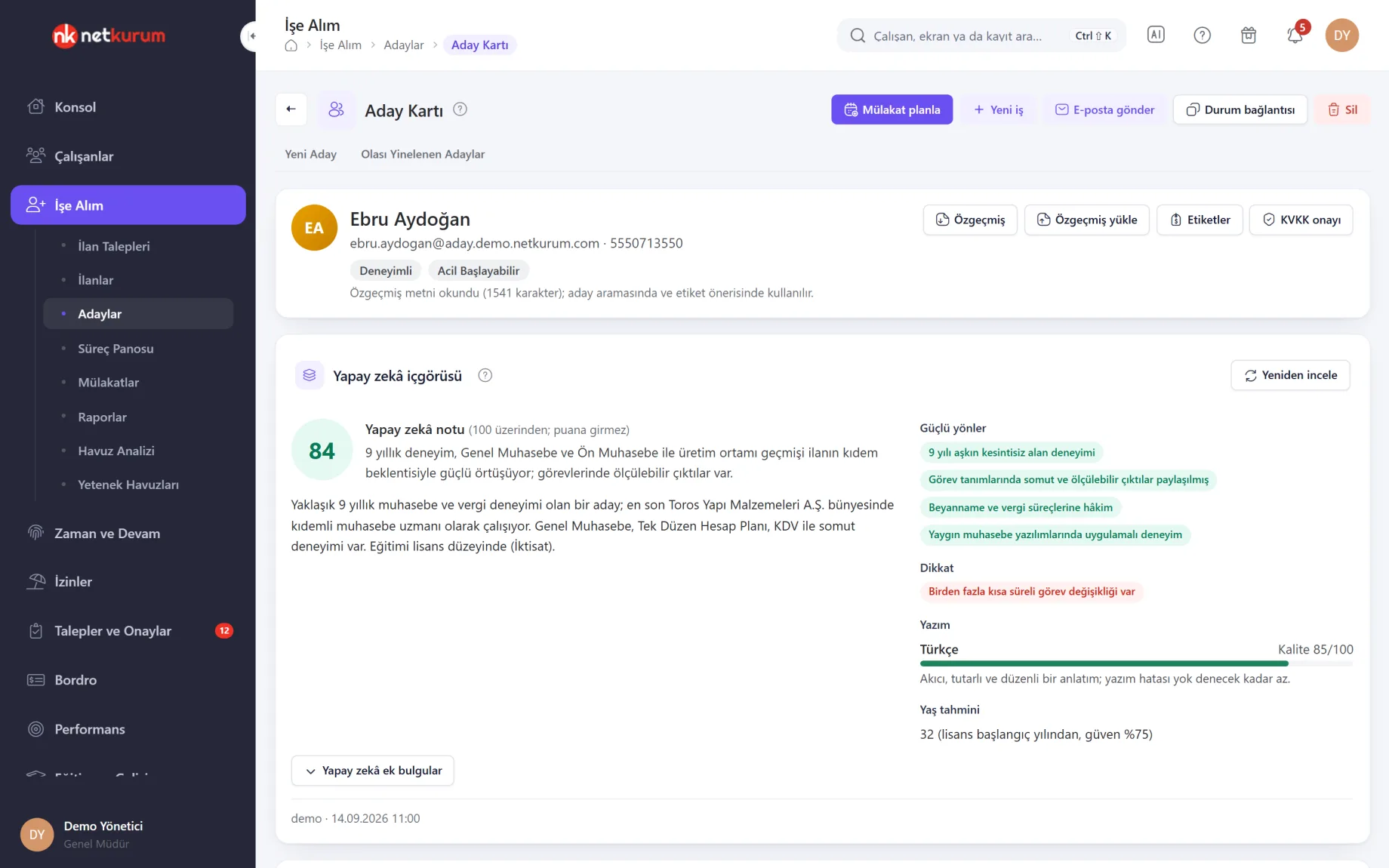
Score, reasoning and summary
AI insight on the candidate profile
The 0-100 score from the AI review of a CV, its reasoning, a short summary, strengths, points to watch, and the language and quality of the writing appear together on the candidate profile.
See details
The score "does not count": it is separate from the match score calculated against the posting and never changes it.
Each CV is reviewed once. If the review instructions or the model change, an "Out of date" badge appears, and Review again re-runs it with the current version.
The AI's additional findings (education, experience, certificates, languages) sit in a separate section so you can compare them with the CV parsing done on the server.
Sensitive details are visible only to users with sensitive-data permission and never feed into any score; decisions are not based on them.
- Insight: score, reasoning, summary, strengths, watch points
- Privacy: personal details masked in the text sent
- Freshness: re-review when the instructions change
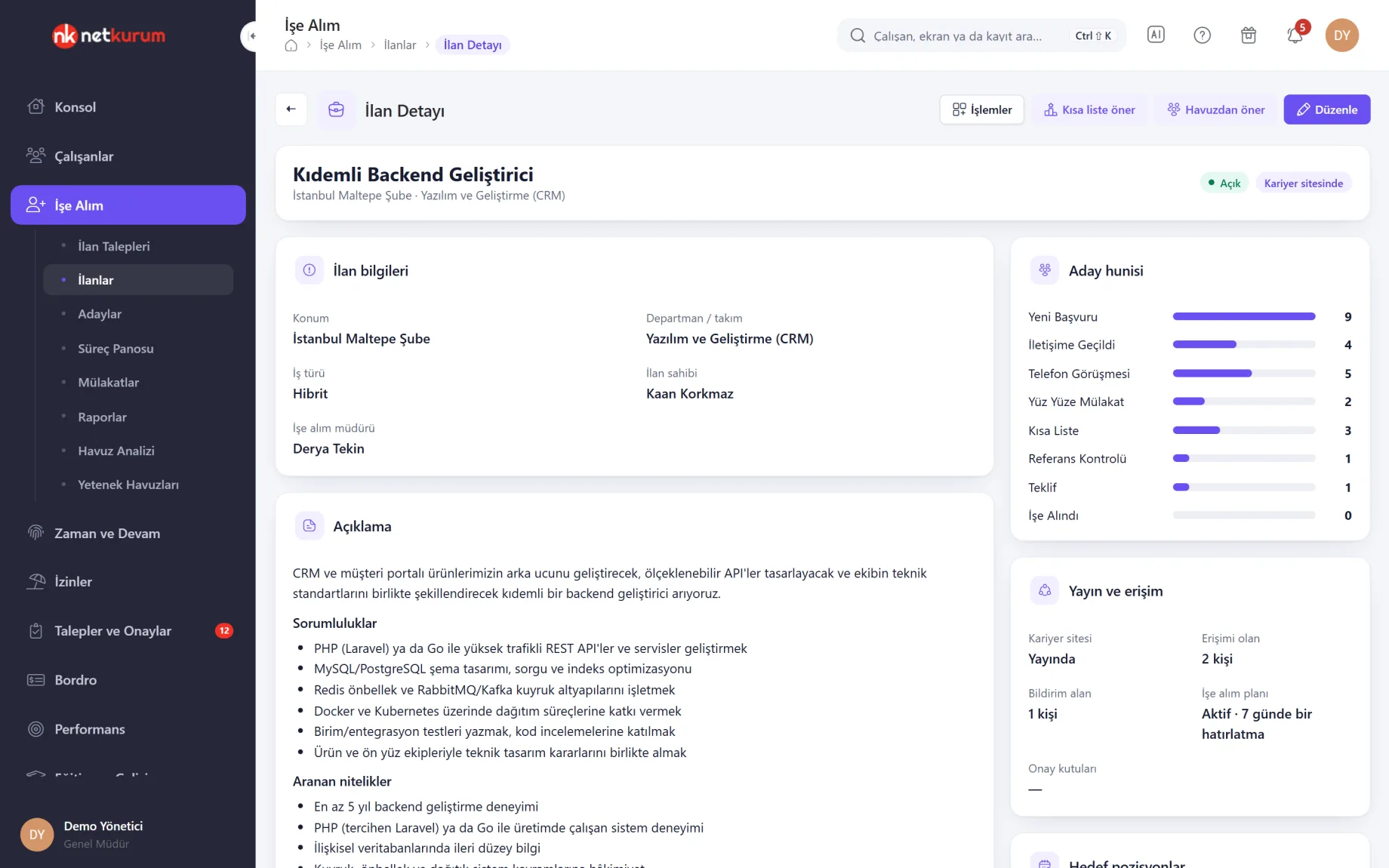
A summary of the applicant pool
AI summary on the posting detail
A pool summary is generated from the reviews of everyone who applied: how many applications were reviewed, the score distribution, standout candidates and why, shared strengths and risks, and notes on the posting text itself.
See details
The posting owner sees the big picture without opening hundreds of applications one by one.
"Review all applications with AI" queues the applications not yet reviewed and processes the queue from this page; Refresh regenerates the summary with the latest reviews.
With blind review on, candidates in the summary appear as numbers instead of names.
- Summary: score distribution, standouts, common risks
- Posting notes: missing or vague points in the posting text
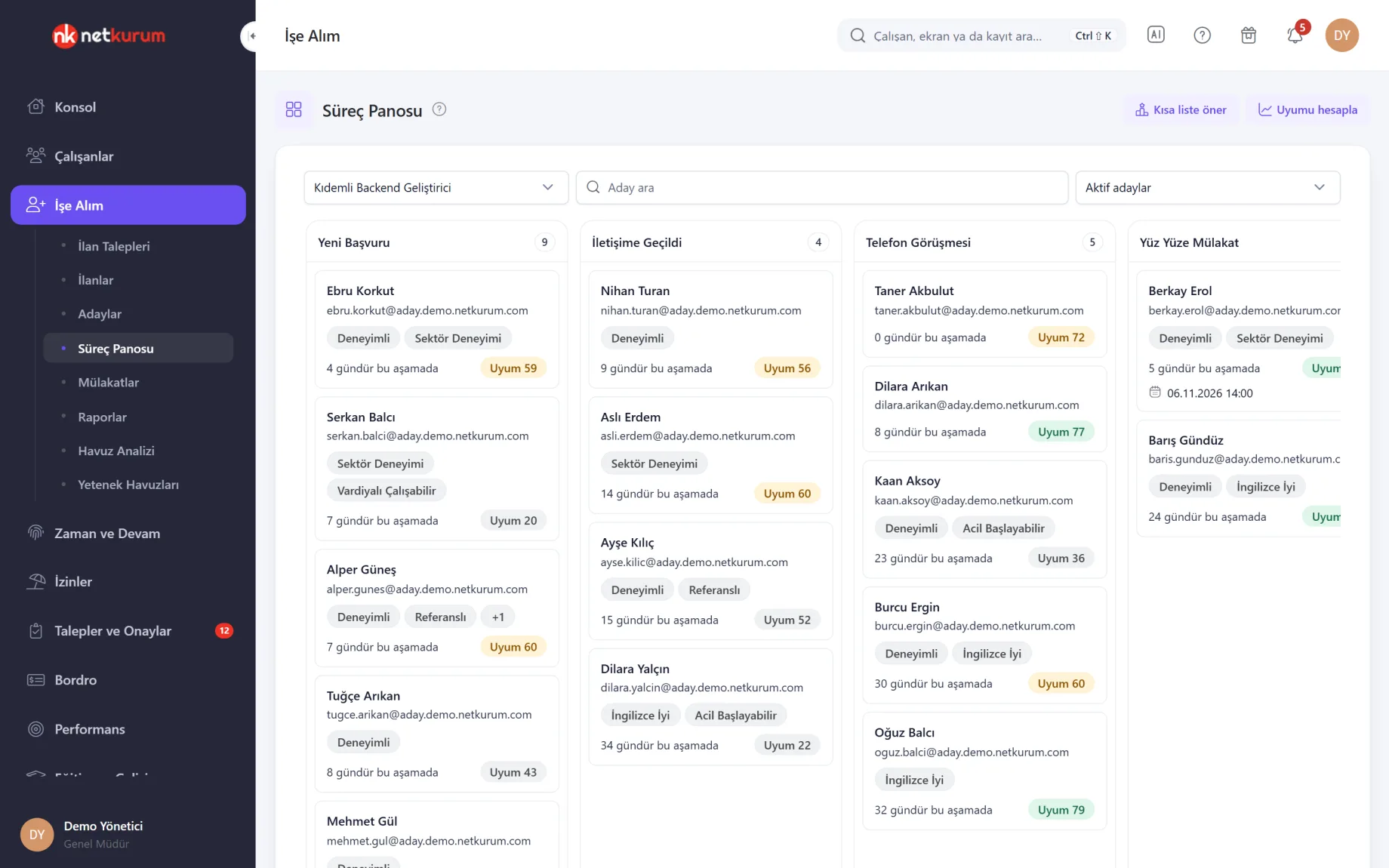
Suggestions wait for your approval
Shortlist suggestion
Suggest shortlist ranks a posting's active applications by combining the match score calculated from the requirements with the AI score where available, then splits them into three groups: shortlist, review and knock out.
See details
The suggestion never moves a candidate on its own and never rejects anyone automatically.
The reasons on each row come from the match score's explanation and the candidate's AI review; no new AI call is made for the suggestion.
The applications you select move to the target stage only with your approval; the stage's required form and rules apply to each candidate, and the move is logged as "Moved by suggestion".
- Groups: shortlist, review, knock out
- Moving: only with an authorized user's approval
Draft, template and review
Posting assistant
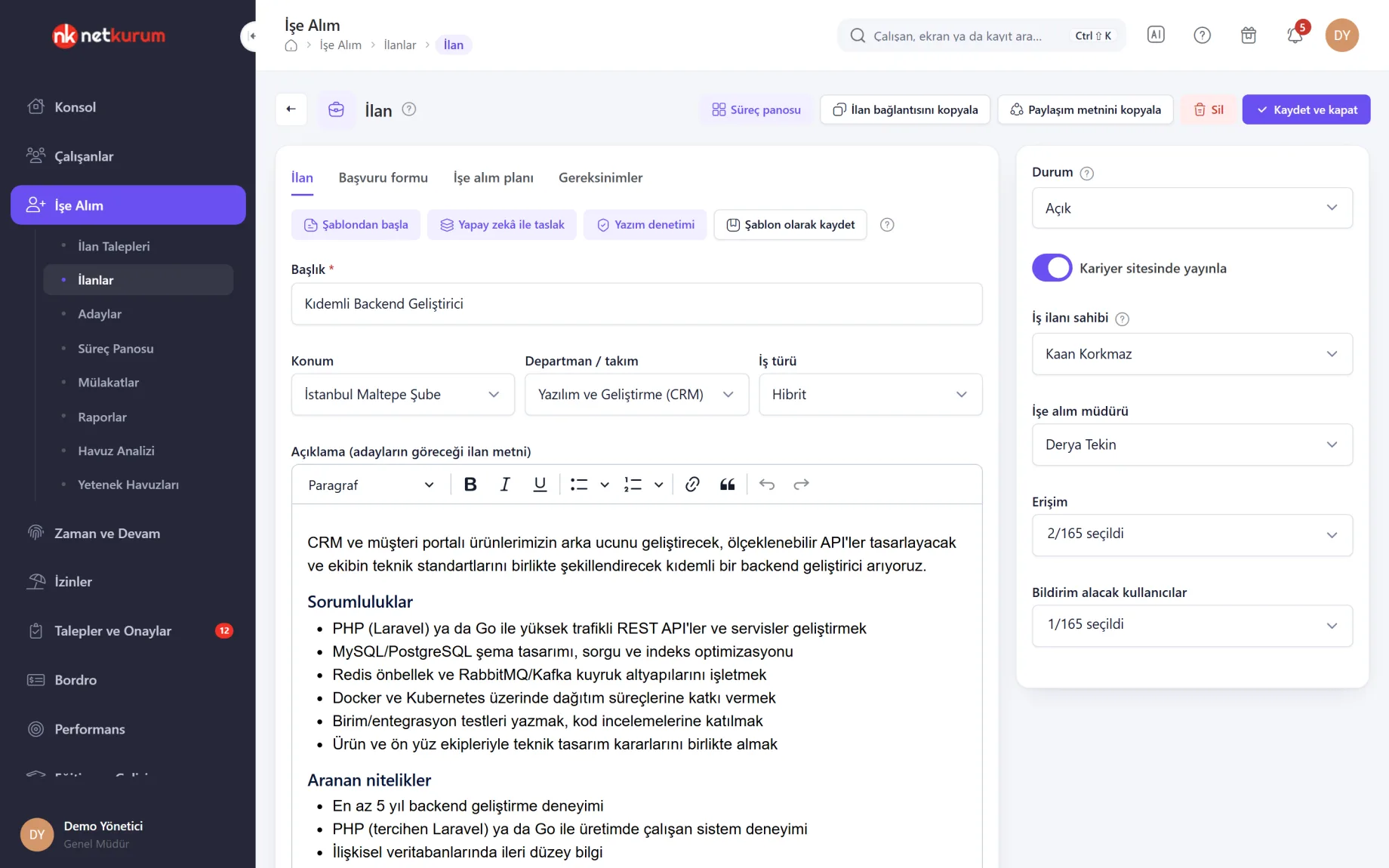
The posting editor has three helpers: ready-made templates grouped by role family, an AI draft built from the position and your notes, and a posting review you run before saving.
See details
A draft is a starting point; salary band, work arrangement, location and closing date come in as placeholders for you to fill.
The review scans the title and description for discriminatory wording such as age, gender, marital status, military service or appearance, non-inclusive language, missing details, conflicting requirements and excessive length. Each finding is rated high, medium or low.
With AI review on, a second opinion and a short summary are added to the rule-based check and labelled "AI". Apply suggestion appears only when there is an exact replacement, and the change sticks when you save the posting.
- Template: title, description, application questions and requirements
- Review: never runs on its own, starts with a click
Ask the panel in plain language
Panel assistant
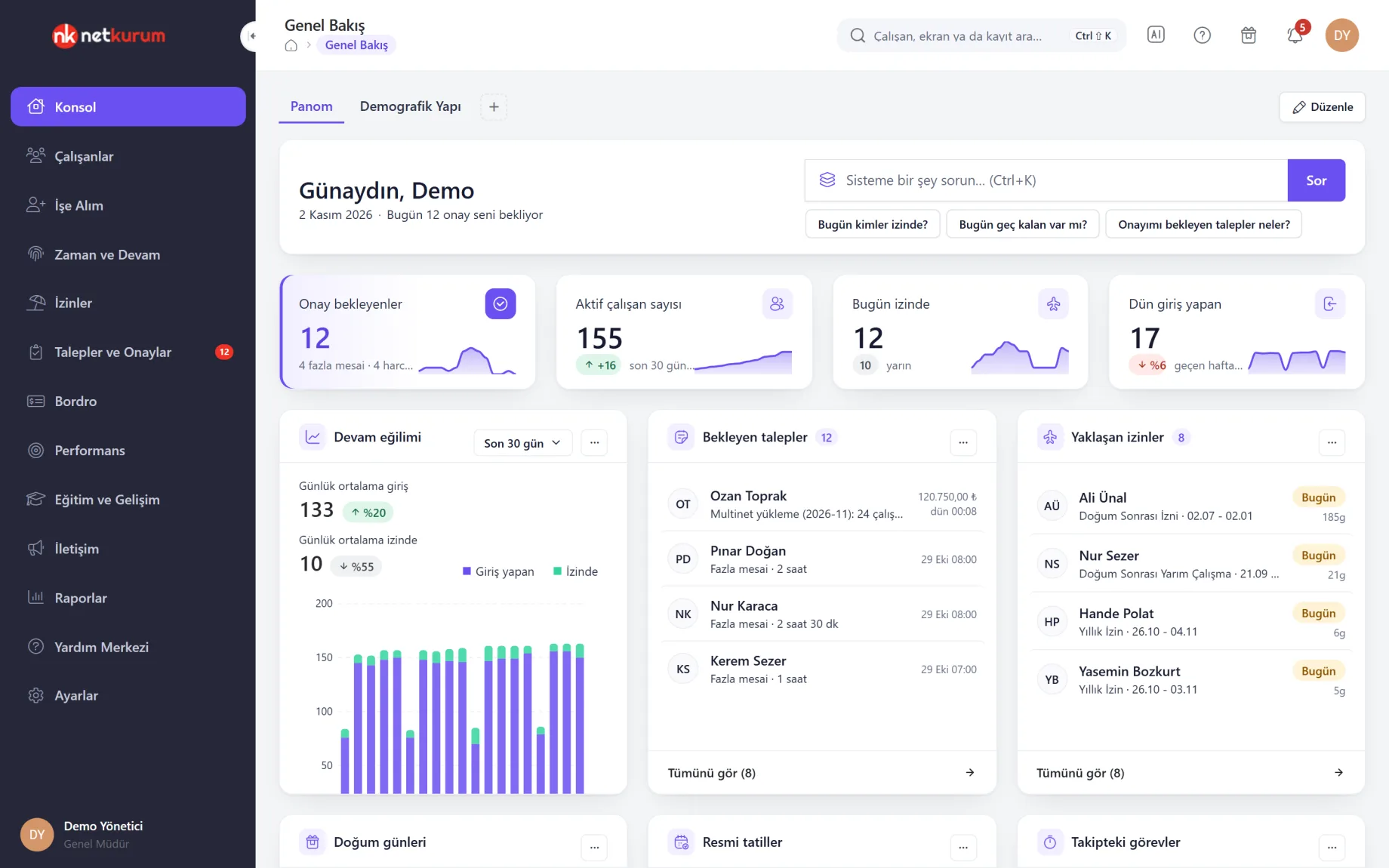
The question box on the dashboard, the AI button in the top bar and Ctrl+K all open the same assistant. Type questions like "Who is on leave today?", "Was anyone late today?" or "Which requests are waiting for my approval?"; the assistant also knows which screen you are on.
See details
The assistant is read-only: it never creates, changes or deletes a record.
Answers are built from organization data through read-only tools chosen for the question: who is on leave, who was late, requests awaiting approval, leave balances, overtime summary, training status, headcount and units. "How do I...?" questions are answered from the help articles.
Scope comes from the session: users see only their own organization and the people they are authorized for, and unit managers see only the people in their scope. Fields such as national ID number, phone number, pay and IBAN never appear in answers.
Each answer lists the queries it ran and the related records; you can mark it helpful or not and return to earlier conversations.
- Access: dashboard box, top bar button, Ctrl+K
- Scope: organization and user permissions, read-only
- Transparency: the queries and records behind the answer
What's included in AI?
- A 0-100 AI score per CV with reasoning, a short summary, strengths and points to watch
- AI score, summary, writing language, experience and education columns in the candidate list, with a score range filter
- AI insight on the candidate profile and re-review
- An AI summary of a posting's applicant pool
- A shortlist suggestion that combines match score and AI score and waits for your approval
- Posting templates, AI posting drafts and a posting review
- Additional competencies in interview kit suggestions when AI is on
- Plain-language questions in the panel: read-only tools, organization and permission scope
- Masking of name, contact details, ID, address and date of birth in the text sent for review
- Model choice, automatic review and a monthly review limit in Recruiting Settings
How do you get started?
- Turn on review In Recruiting Settings > CV and score, turn on AI review and choose the model and the monthly review limit.
- Upload CVs Upload CVs in bulk; each parsed CV joins the queue through automatic review, or you review them with the Review with AI button.
- Check the posting In the posting editor, start from a template or a draft and run Posting review before publishing.
- Ask the panel Open the AI button in the top bar and type your question in your own words.
Frequently asked questions
Does AI reject or hire candidates?
No. The AI score does not feed into the match score, the shortlist suggestion never moves a candidate on its own and nobody is rejected automatically. Stage changes happen only with an authorized user's approval.
Is candidates' personal data sent to the AI?
In the CV text sent for review, name, email, phone, ID and bank numbers, address and date of birth are masked. CV parsing itself happens on the server, and the file is not sent to any external service.
Do details like age or gender count in the evaluation?
No. They are taken only when written explicitly in the CV, are visible only to users with sensitive-data permission and never feed into any score. Age, gender or marital status cannot be posting requirements, and the posting review flags such wording.
Can the panel assistant change records?
No. The tools the assistant uses are read-only; they never create, change or delete records or trigger external services. Answers are limited to the user's organization and permissions.
How do we keep costs under control?
Recruiting Settings set the model used for reviews and a monthly review limit. When the limit is reached, queued jobs wait and continue the next month; with automatic review off, CVs are reviewed only on demand.
Related features
-
 Recruiting (ATS)
Postings, careers page, talent pool, pipeline board and interviews, with AI-assisted CV review. Review Now
-
 Reports
Ready-made reports, a report builder of your own, scheduled emails and an activity log. Review Now
-
 Employee Management
Employee records, personnel files, assets, org chart and bulk data import from Excel. Review Now
Try NetKurum in your organization
Create your own demo in minutes and explore an organization full of sample data for 14 days.