

Features
Announcements and Notifications
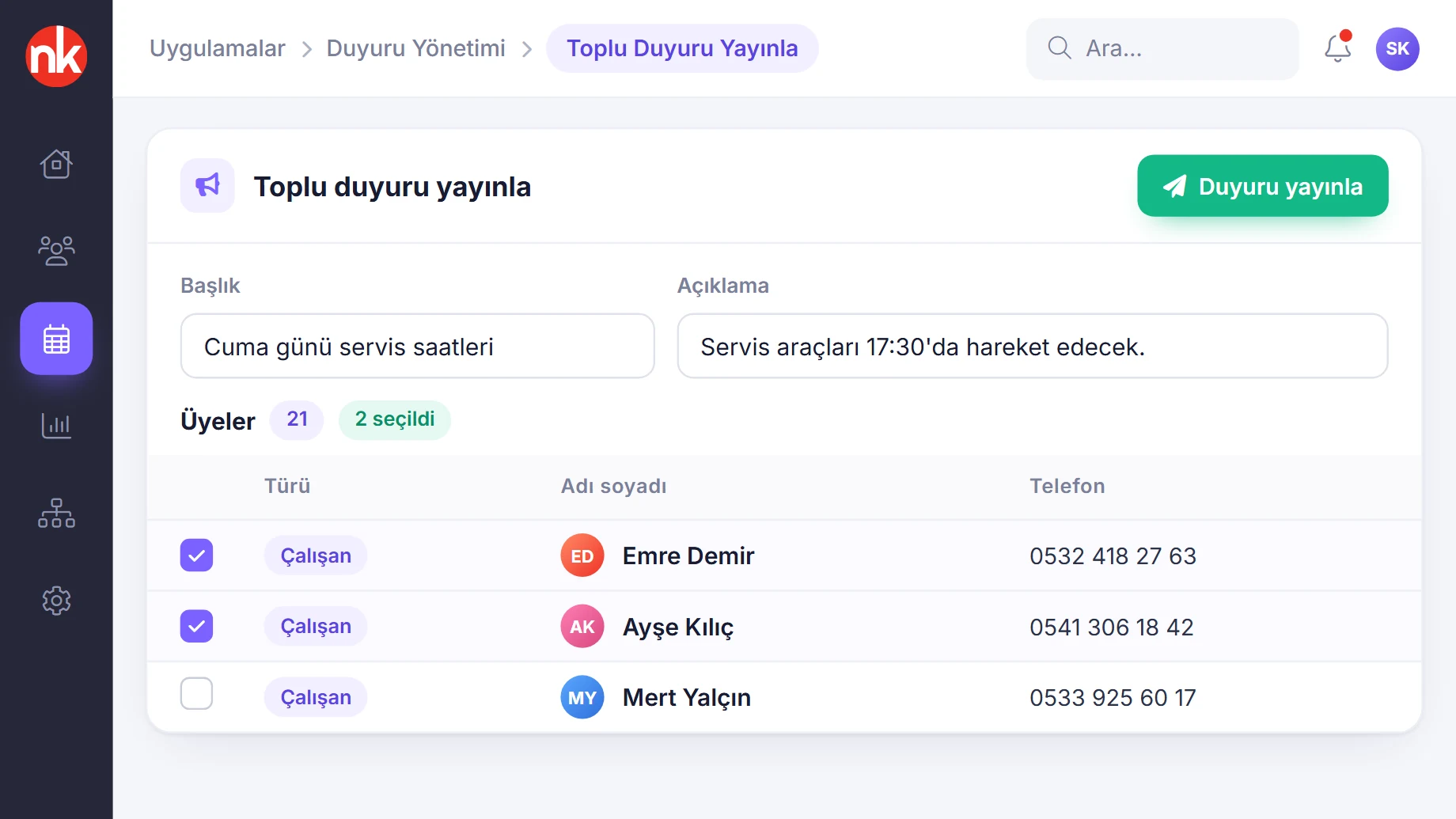
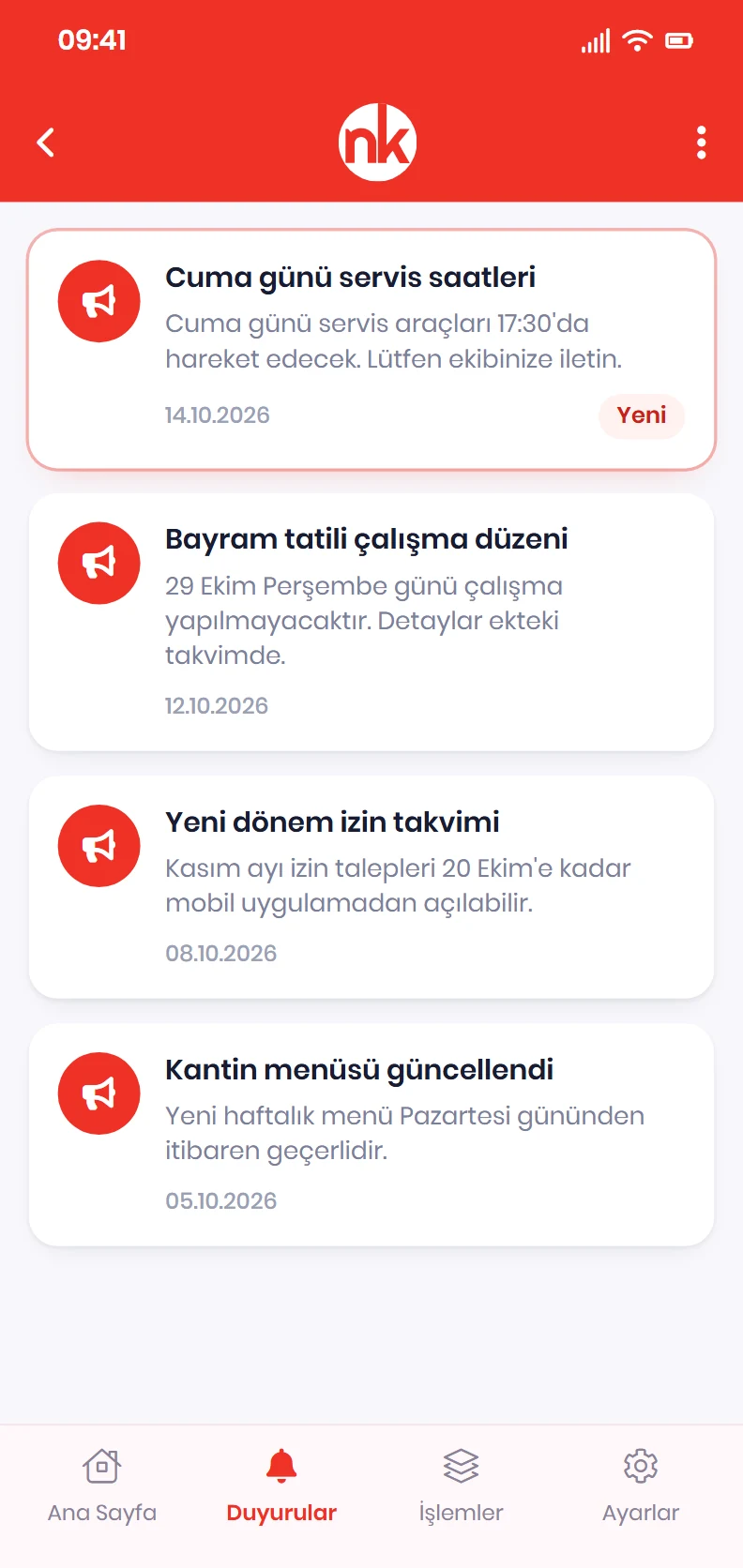
Publish your announcement to the employees you choose; it arrives on the employee's phone as a notification, and you see who has read it from the panel.
What does it solve?
Instead of notices pinned to a board, crowded messaging groups and emails nobody knows were read, NetKurum delivers announcements directly to the employee's app.
- Announcements going to the wrong people When publishing an announcement, recipients are selected from the person list; the list is filtered by person type.
- Not knowing whether it was read The announcement list shows the read status for each recipient; the announcement details list who it was delivered to.
- Crowded messaging groups Organizational announcements stay in NetKurum Mobil instead of employees' personal messaging apps.
- Attached documents getting lost The announcement details show the title, description, date and the announcement's documents together.
- Anyone being able to publish announcements Permission to publish announcements to all users in the system is granted per position.
Announcements, screen by screen
The visuals are illustrations based on NetKurum screens; person and company names are examples.
Read status
Announcement list and read tracking
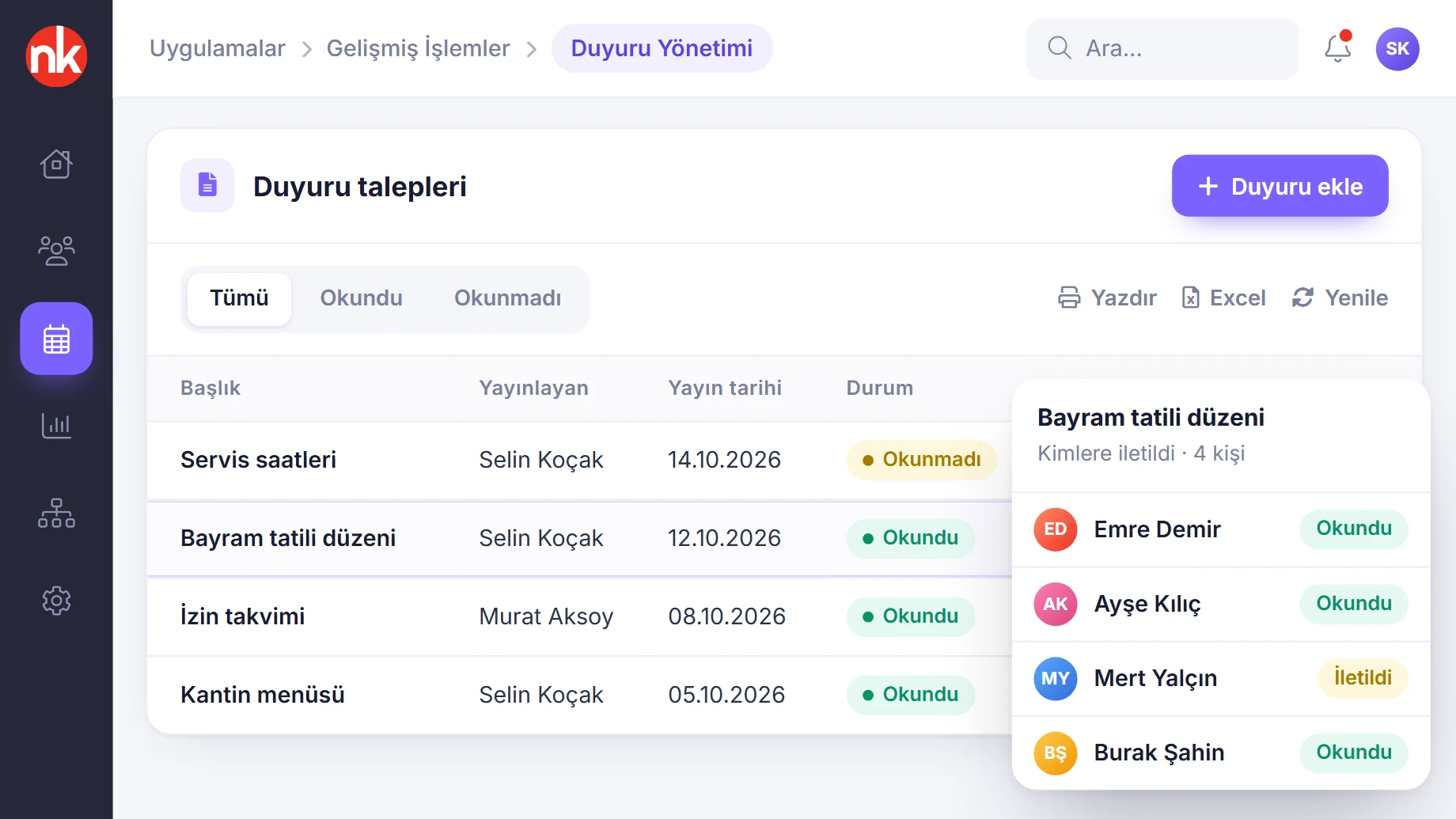
The Announcement Management page lists announcements with title, publication date, publisher and read status. Double-clicking an announcement opens who it was delivered to and their delivery status.
See details
The announcement list lets you track whether published information has actually reached people.
The list is filtered by read and unread status. Employees who have not read it can be identified and reminded separately when needed.
The list can be printed and exported to Excel.
- Columns: title, publication date, publisher, status
- Filter: read, unread
Audience and notification
Targeted announcement (construction site example)
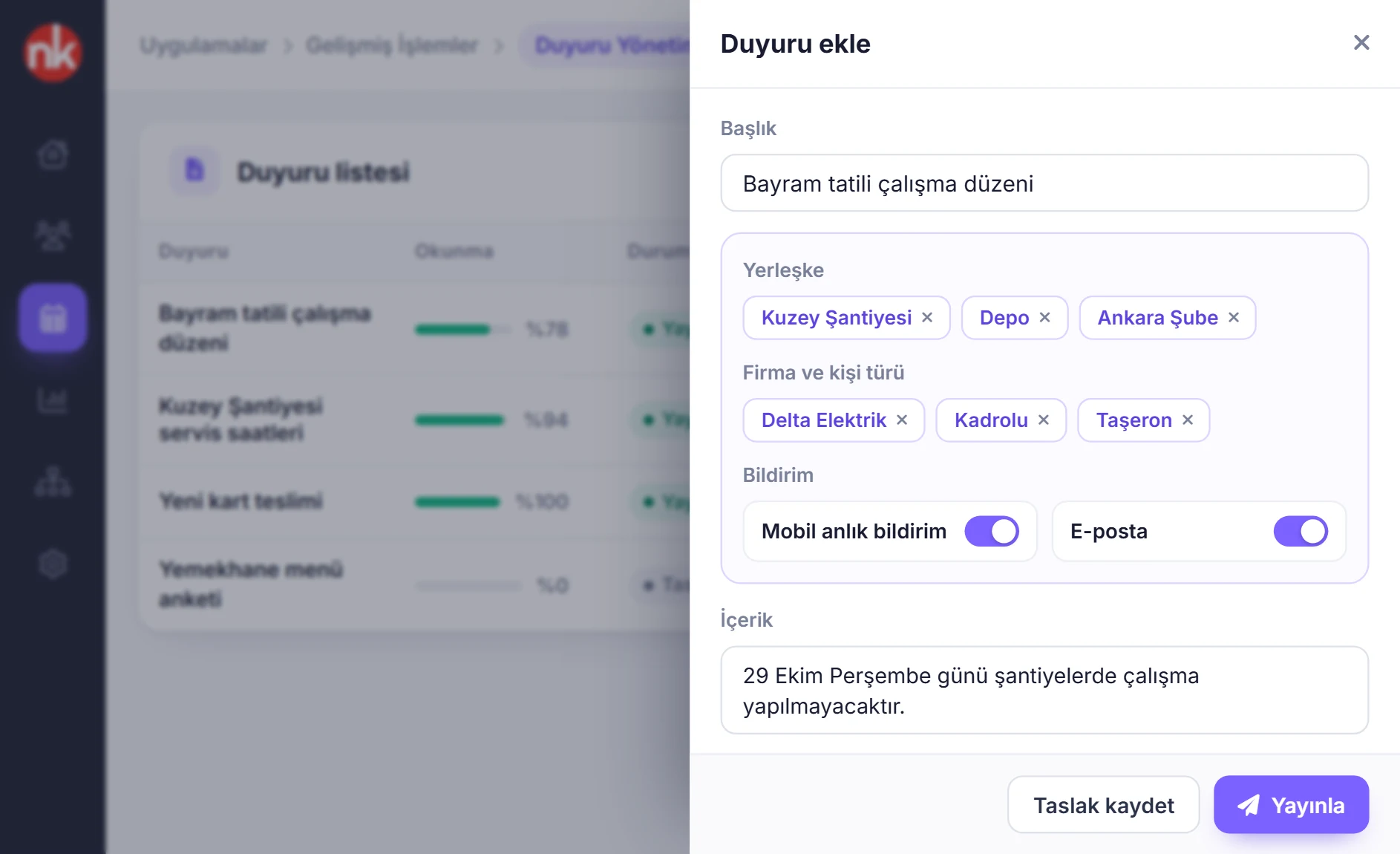
In the construction site deployment, announcements are targeted by site, company or person type; they are delivered by mobile push notification and email, files are attached and the read rate is tracked per announcement. The image is taken from the deployment adapted for RAMS Türkiye.
See details
In multi-site organizations, an announcement is targeted to the relevant site and the relevant person type.
When adding an announcement, you enter the title, audience, person type, publication time, notification channel and content; attachments are uploaded from the same window. The announcement can be saved as a draft or published immediately.
The announcement list shows each announcement's read rate with a progress bar.
- Targeting: site, company, person type
- Channel: mobile push notification and email
- Tracking: read rate, draft and published status
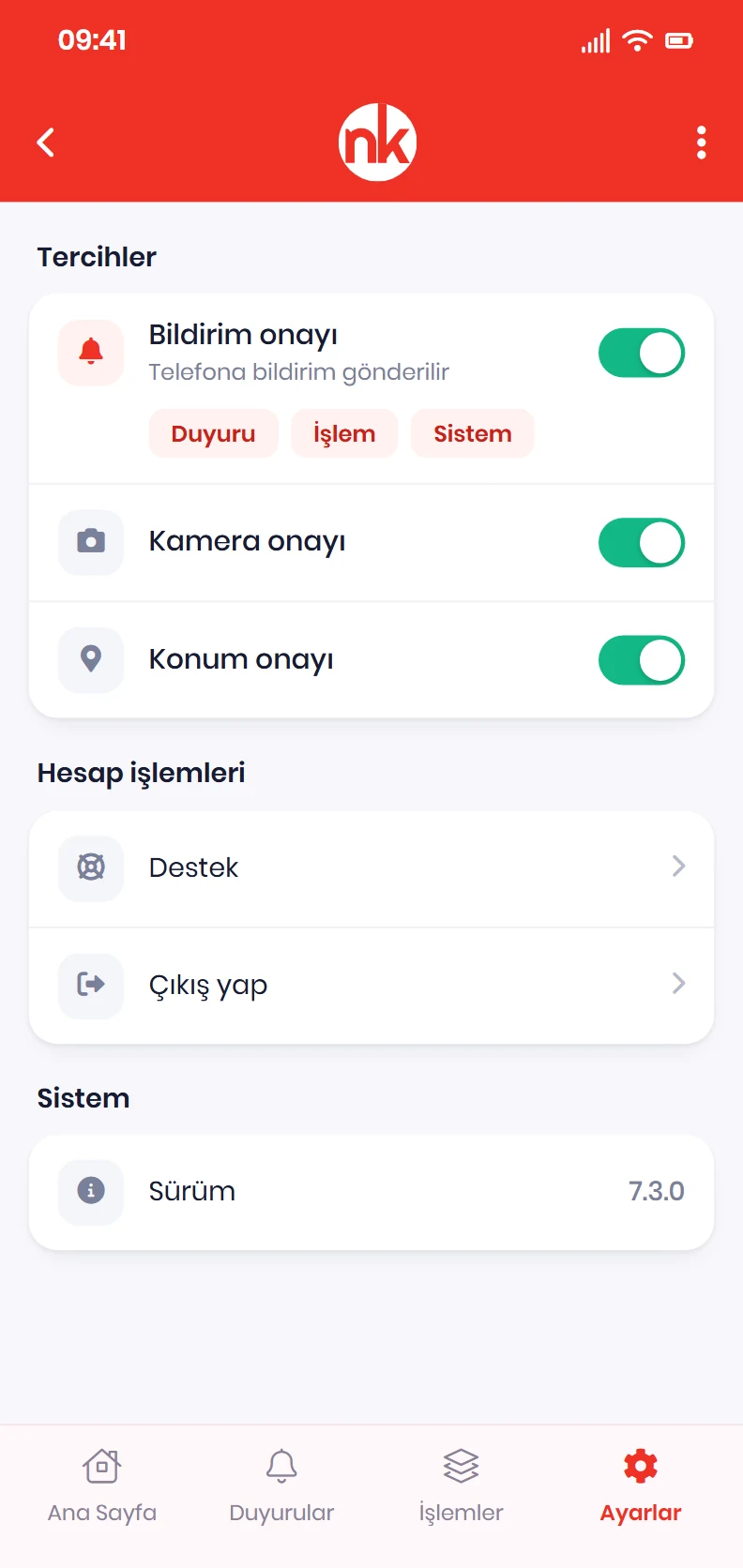
Notification consent
Notification preferences on mobile
The employee chooses in the Preferences section whether to allow the app to send notifications. While notification consent is on, announcement, action and system notifications are delivered to the phone.
See details
Notification preferences are the phone-side setting that lets announcements reach the employee instantly.
In the System Permissions section, notification, camera and location permissions are managed from a single screen. The Announcements page lists published announcements with their title and creation date; the details show the description and documents.
- Notification types: announcement, action, system
- Other permissions: camera and location consent
What do announcements include?
- Publishing announcements with a title and description
- Selecting recipients from the person list, person type filter
- Announcement list and announcement details in the mobile app
- Viewing the announcement's documents
- Notifications on the phone
- Read and unread status
- Who the announcement was delivered to and the delivery status
- Position-based permission to publish announcements
- Targeting by site, company and person type in construction site deployments
- Printing the announcement list and exporting it to Excel
How does it work?
- Write the announcement Enter the title and description in Announcement Management.
- Select the recipients Tick the employees the announcement will go to in the person list.
- Publish The announcement lands in employees' apps and arrives as a notification.
- Track reads Follow who has read it from the announcement list.
Frequently asked questions
How do announcements reach employees?
A published announcement is listed on the Announcements page in NetKurum Mobil and, if the employee's notification permission is on, arrives on the phone as a notification.
Can we see who has read it?
Yes. The read status appears in the Announcement Management list; the announcement details list who it was delivered to and the delivery status.
Can every manager publish announcements?
Permission to publish announcements is granted per position from the position permissions screen.
Can documents be attached to an announcement?
Yes. The announcement details show the documents related to the announcement together with the title, description and date.
Related features
-
 Mobile App
Start and end shifts with one tap; activity, leave, advances, expenses and announcements in your pocket. Review Now
Mobile App
Start and end shifts with one tap; activity, leave, advances, expenses and announcements in your pocket. Review Now
-
 Access Management
Role-based page permissions, position-based action permissions and mobile devices. Review Now
Access Management
Role-based page permissions, position-based action permissions and mobile devices. Review Now
-
 Personnel Management
Employee records, bulk updates, person profiles and personnel files in one place. Review Now
Personnel Management
Employee records, bulk updates, person profiles and personnel files in one place. Review Now
Try NetKurum in your organization
Request your free trial; our team will contact you to set up your account.