


On a construction site, who enters the site is a question that belongs to two different worlds. For occupational safety, you need to know "who is inside right now?"; for accounting, the answer to "how many man-days did this subcontractor work this month?" at month-end is the progress payment itself. Both answers come from the same gate, yet on most sites the device at the gate works on its own, cards are defined locally, data is collected at the end of the period, and both questions are answered by hand.
In this article we explain how workforce tracking is set up in a subcontractor-heavy operation, drawing on our work with a real estate development company running several large construction sites at the same time.
Four realities that make subcontractor tracking hard
- Turnover is high. Dozens of new cards are issued and dozens canceled every week. When each card has to be loaded onto every device one by one, a newcomer's card works only hours later, and a departed worker's card stays active for days.
- Same gate, different rules. Permanent staff and subcontractor workers pass through the same turnstile, but subcontractors need time restrictions, per-company lists and man-day calculations.
- Each company supervisor wants to see their own workers. But only their own. Access scope must be limited per company.
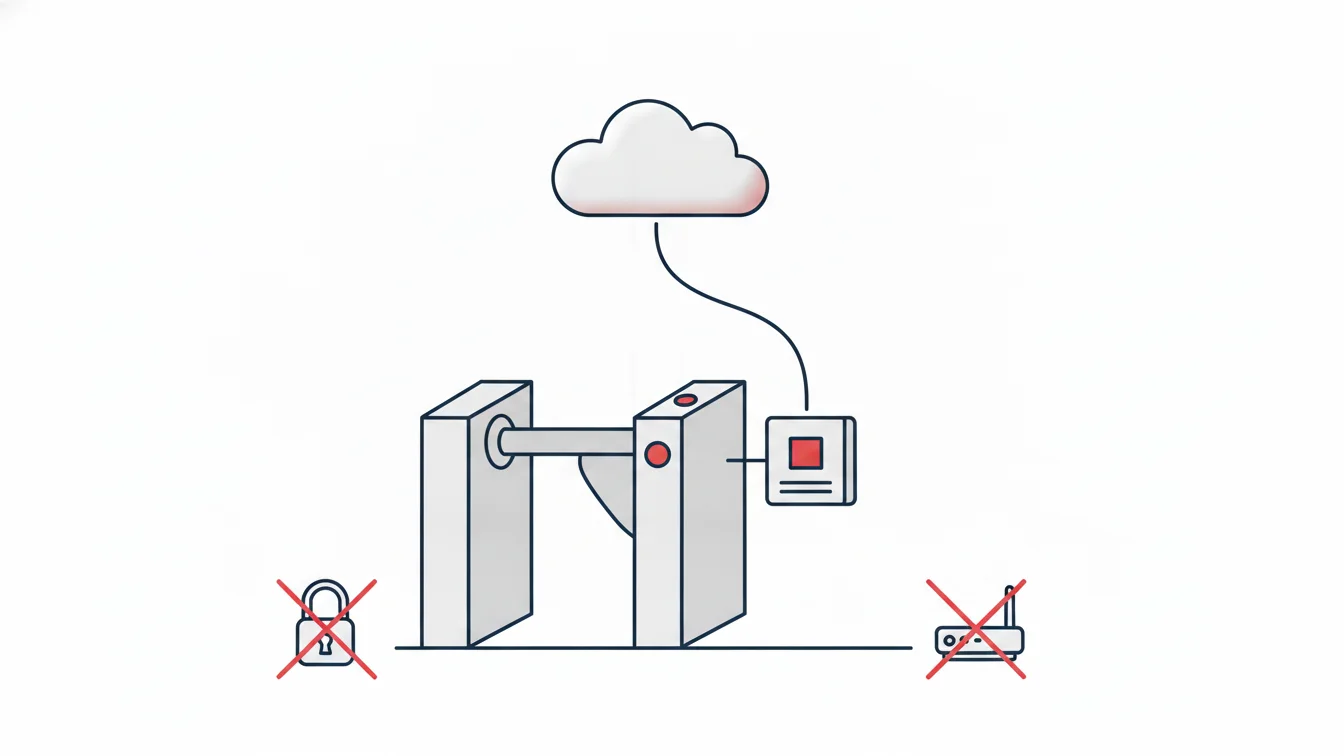
- There is no infrastructure. Site internet comes from a mobile modem; static IPs, port forwarding and firewall settings become a problem all over again at every site.
The backbone of the solution
The subcontractor company model
Each subcontractor worker is linked to their company when their personnel record is created. That single link organizes everything that follows: the employee list is filtered by company, daily reports and the detailed monthly report come broken down by company, and the monthly man-day report is exported to Excel per company. During bulk import from Excel, rows with the subcontractor column filled in are automatically linked to the relevant company, so the system starts out fully populated on day one.
Person groups
Access rights are granted through groups, not person by person: which sites, which time window, which shift. Someone added to the "Company A formwork crew" group receives the group's permissions, and their card is sent to the relevant devices. When the company changes or the crew moves to another site, the group changes — nobody has to be updated individually.
Card lifecycle in seconds
As soon as a card is defined, it is sent to the devices at the relevant access points; deactivation or an employee's departure pulls the card from the site just as quickly. The panel shows each card's status on the devices and its last sync time. A departed worker's card staying active is simply no longer possible — and from an occupational safety standpoint, that is the most important gain.
The subcontractor supervisor role
The company supervisor logs in to the panel with their own role and sees only their company's workers, entries and reports. The site manager sees their own site, and HR sees the whole structure. Page permissions are tied to the role; data scope is tied to the site and the company.
Man-day and progress payment reports
Progress payment disputes are about numbers: the subcontractor says "420 man-days this month," the site counts "380." The access log at the gate ends the debate. The monthly man-day report is generated per company, broken down by person and day; in the detailed monthly report, each cell shows the entry and exit times together with the access point used. The report is exported to Excel with one click and automatically emailed to accounting at the start of the month. The company supervisor sees the same report in their own panel, so both sides look at the same number.
What changed on site?
At the company we worked with, site entrances were controlled by turnstiles, but the devices ran independently, headquarters couldn't see the real-time status of the sites, and late arrival and absence reports were prepared by hand. At the heart of the setup we placed the connectivity device, which connects on-site turnstiles and card panels to the cloud without any network configuration; we added screens built for the realities of construction sites, per-subcontractor lists and reports, card and device management, person groups and automatic report distribution. The result: every new site became manageable from headquarters the moment the devices were mounted and the connectivity device was plugged in; new workers' cards worked within seconds, and the late arrivals list landed in the site manager's inbox every morning. We covered this in detail in our article on the connectivity device.
Setup checklist
- Sites (headquarters, sales offices, construction sites) and the access points of each are defined
- The list of subcontractor companies and each company's supervisor are recorded
- Person groups: company + crew + authorized site + time restriction
- Existing Excel lists are imported with the field-mapping wizard
- Cards are defined by group and device sync is verified
- Automatic reports: daily late arrivals/absences to the site manager, monthly man-days to accounting
Subcontractor tracking in NetKurum
In NetKurum, subcontractor workers are created linked to their companies; the employee list, daily reports and the detailed monthly report are broken down by company, and the monthly man-day report is exported to Excel for progress payments. Person groups manage access rights and shifts in bulk; card and device management is handled centrally; full-height turnstiles, tripod turnstiles and card panels connect to the cloud through the connectivity device. The subcontractor supervisor role sees only its own company. Details: Entry-Exit Management and Access Management.
What makes progress payments indisputable isn't good negotiation; it's both sides looking at the same gate log.
Frequently asked questions
Do subcontractor workers also need the mobile app?
No; card access is enough on site. Mobile clock-in can also be enabled for subcontractor workers who have field or office duties.
Can a subcontractor worker work at more than one site?
Yes. Their card works at every site added to their person group's authorized sites; reports show which site they entered through.
Can the subcontractor supervisor issue cards for their own workers?
Permissions are set by each organization; in most organizations, card issuance stays with HR or site management, and the supervisor only views and pulls reports.
How is a half day counted in the man-day calculation?
According to the shift and minimum working time definitions; incomplete days are reported separately, and in the man-day report they are counted as a full or half day according to the rule set by the organization.
Manage all your sites from a single center
Tell us about your sites and subcontractor structure; we'll set up your card, group and report structure together. Get in touch or, for mobile clock-in, start your free trial.
About the author
Zeynep Çelik
Digital Content Specialist
Covers technology, integrations and field deployments on the NetKurum blog. She explains cloud time and attendance, connectivity devices and real customer experiences with clear examples.