


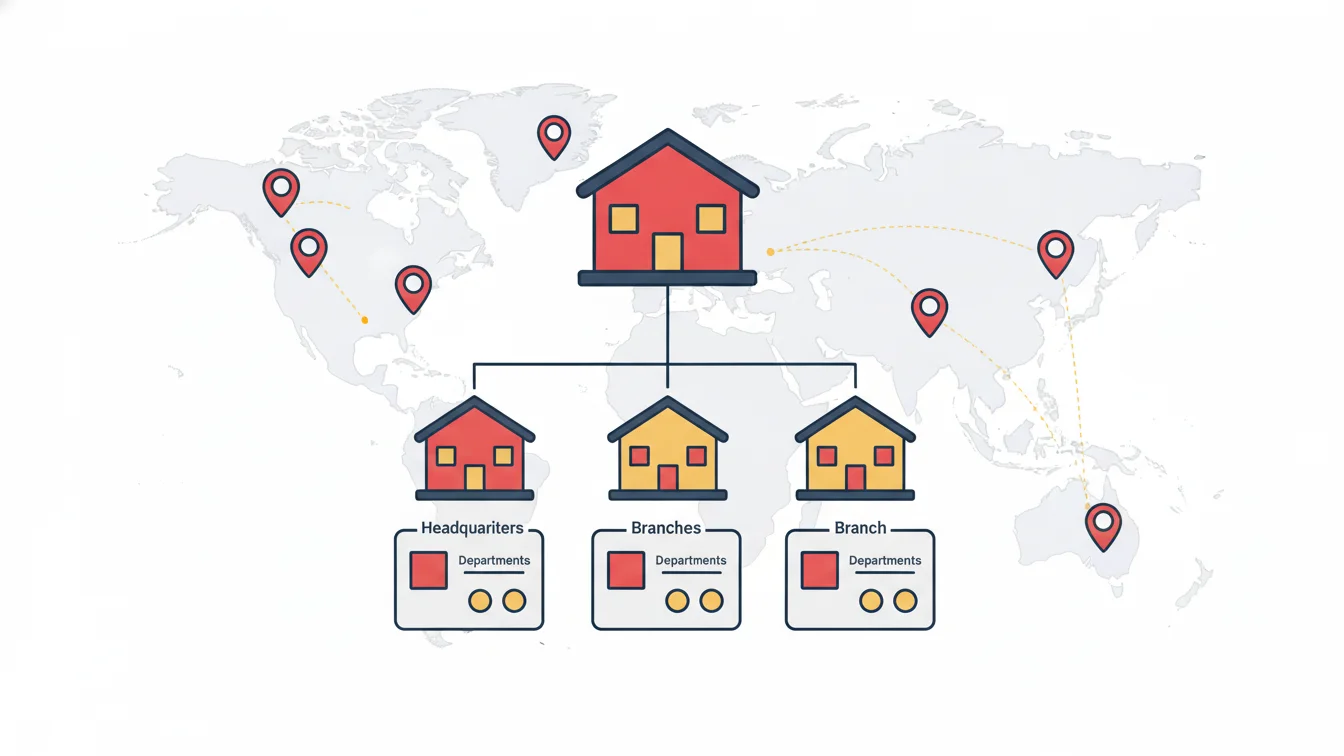
In a single-site business, "workforce management" is mostly a list. By the tenth branch, the same job turns into a structural problem: each branch has its own logbook, head office can't see absences, nobody is sure which branch manager can approve what, and every new branch sets things up from scratch. In a multi-site setup, the software's job isn't to keep records; it's to make the organization chart actually work.
In this article we cover the four layers of organizational structure (site, department, position and role) and how they carry through to reports, approvals and permissions.
Four layers, four separate questions
| Layer | Question it answers | Example |
|---|---|---|
| Site | Where does the person work? | Head office, Kadıköy branch, North site |
| Department | Which unit is the person in? | Sales, accounting, operations |
| Position | What does the person do, and who are their manager and direct reports? | Branch manager → sales representative |
| Role | What can the person see and do in the system? | Branch administrator, HR specialist, subcontractor coordinator |
The layers aren't interchangeable. Confusing position with role is the most common mistake: "branch manager" is a position (a place in the organization), while "branch administrator" is a role (a set of permissions in the system). Two branch managers can have different roles; an HR specialist can sit low in the hierarchy as a position but have broad permissions as a role.
Site: the boundary for reports and permissions
A site isn't just an address; each site has its own entry points, QR code, mobile verification method and location radius. Reports are filtered by site and permissions are limited by site: a branch manager sees late arrivals at their own branch, not at the neighboring one. The organizational structure list shows the number of people and devices at each site along with its mobile verification method; "how many people work at which branch" is answered on a single screen.
This is also where the cost of opening a new branch becomes clear: in a cloud-based setup, a new site is a single row. A QR code is generated, the default shift and approval workflow are inherited, and staff are transferred. It isn't an infrastructure project.
The position hierarchy: the backbone of approvals
Hierarchical approval workflows are based on the position hierarchy: a request goes to the position above the employee's own. If the hierarchy is wrong, the approval goes to the wrong person. That's why the "parent position" field must be filled in carefully when defining positions and updated whenever the organization changes. Three things are asked with every new position: in which hierarchy, with authority in which roles, and in which approval chain.
Roles: who sees what, who does what
Role-based permissions have two dimensions: page permissions (which screens a user can open, such as the employee list, reports, leave approval and device management) and data scope (which site's and which company's data they can see). Typical roles:
- HR: the entire structure; management of people, shifts, leave, reports and roles.
- Branch / site manager: their own site only; daily reports, leave approval, manual corrections (limited).
- Regional manager: multiple sites; reports and approvals.
- Subcontractor coordinator: only their own company's staff.
- Employee: only their own records, requests and balance (mobile).
Permissions are granted to roles, not to individuals one by one; when a branch manager changes, the role is assigned to the new person and the permissions don't need to be rebuilt.
Visibility from head office
The real gain of a multi-site structure is what head office sees on a single screen: on the management console, the number of people currently on site across all locations, the day's entries, late arrivals and site-based charts. Reports are narrowed down with site, department, person type and company filters; automated report delivery sends each manager their own scope. Head office isn't buried in detail, and branches don't see beyond their own walls.
Communication in a multi-site structure
Announcements follow the same structure: targeted announcements to a site, department, company or group of people; mobile push notifications and email; read tracking. Instead of head office emailing "everyone," a single notification goes to the Kadıköy branch.
An example
This is exactly the structure we encountered while working with a financial institution with dozens of branches and hundreds of employees across Türkiye: a hierarchy stretching from the general directorate to regional directorates, and from branch management to field representatives. The solution was to carry the organization chart into the system one-to-one and let each unit build its own approval flow from the dashboard; each new branch joined the system the moment its QR code was generated.
Organizational structure in NetKurum
In NetKurum, company information, sites, departments and positions are defined in the Organizational Structure section; a standard or dynamic QR code is generated for each site, and the mobile verification preference is chosen site by site. Position definitions set the hierarchy and the roles each position has authority over; role management grants page permissions in a tree structure. Reports and announcements are filtered by site, department and person type. Details: Employee Management and Access Management.
Software doesn't change your organization chart; it makes it visible and enforceable. If the chart is wrong, fix the chart first.
Frequently asked questions
Can one person work at two sites at the same time?
Each person is assigned to a single site, but they can pass through other sites authorized for their group, and they appear in the "entries from a different branch" report.
Can a branch manager see staff at another branch?
Not if their role's data scope covers only their own site. The regional manager role covers multiple sites.
Do historical reports break when the organization changes?
No. Historical records are stored with the site and position information as of that day; changes apply going forward.
Are departments mandatory?
Not mandatory, but recommended; reports and announcements are filtered by department.
Let's build your structure together
Share your organization chart; we'll define your site, position and role structure together and open your first branch the same day. Start your free trial or get in touch with us.
About the author
Zeynep Çelik
Digital Content Specialist
Covers technology, integrations and field deployments on the NetKurum blog. She explains cloud time and attendance, connectivity devices and real customer experiences with clear examples.